xampp Apache 意外停止 无法启动 解决办法

时间:2026-02-17 20:35:06

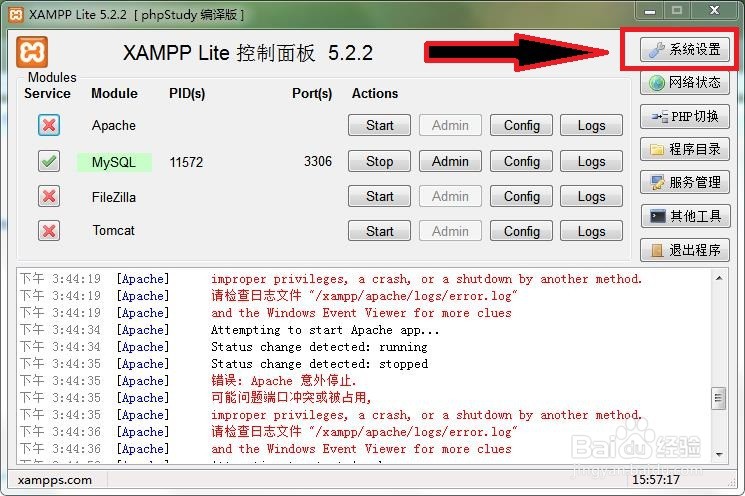
1、启动XAMPP>>打开系设置

xampp Apache 意外停止 无法启动 解决办法

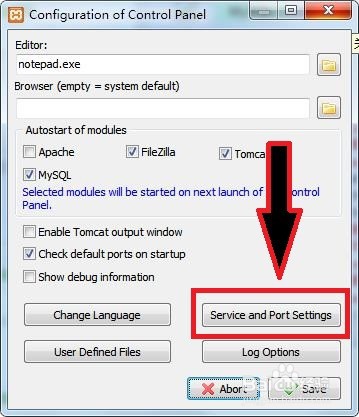
2、点击Service and port Settings

xampp Apache 意外停止 无法启动 解决办法

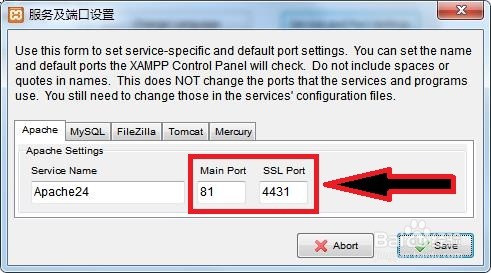
3、把端口

MainPort中80改为81

SSL Port中443改为4431

Save>>Save

保存
xampp Apache 意外停止 无法启动 解决办法

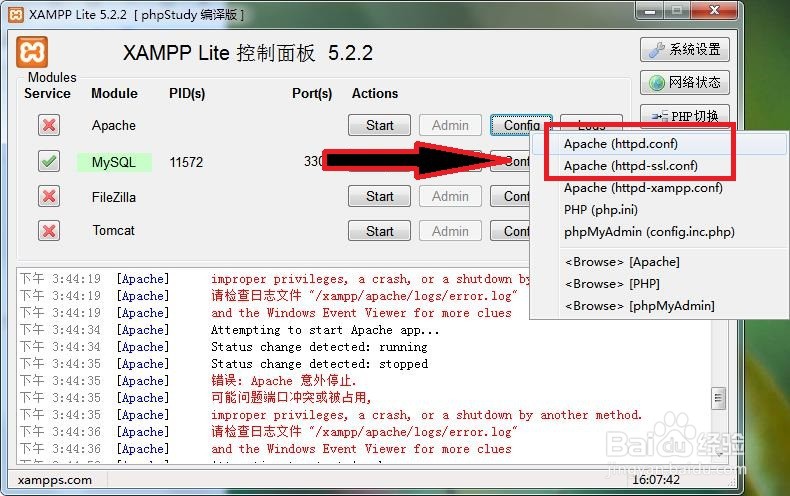
4、点击Apache项的Config

分别打开

Apache(httpd.conf)

Apache(httpd-ssl.conf)
xampp Apache 意外停止 无法启动 解决办法

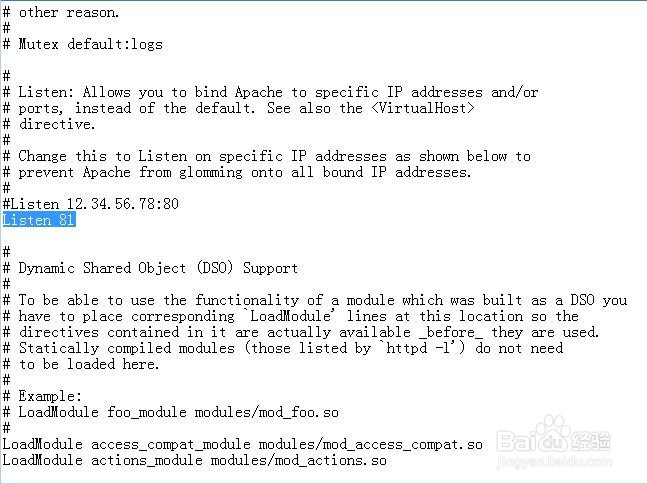
5、将Apache(httpd.conf)中的Listen 80改为Listen 81,保存
xampp Apache 意外停止 无法启动 解决办法

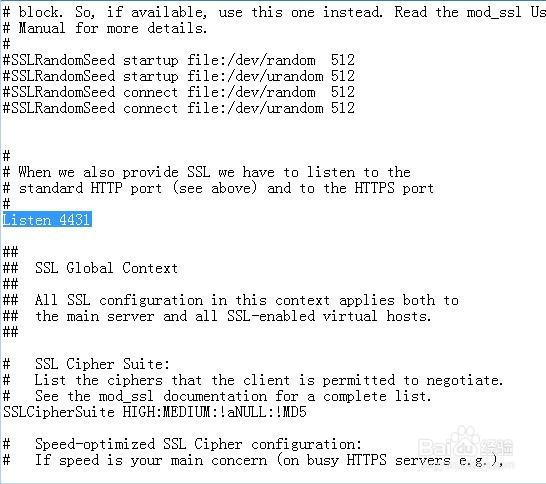
6、将Apache(httpd-ssl.conf)中的Listen 443改为Listen 4431,保存
xampp Apache 意外停止 无法启动 解决办法

7、现在就能安装Apache了

xampp Apache 意外停止 无法启动 解决办法

© 2026 裕芯经验网
信息来自网络 所有数据仅供参考
有疑问请联系站长 site.kefu@gmail.com