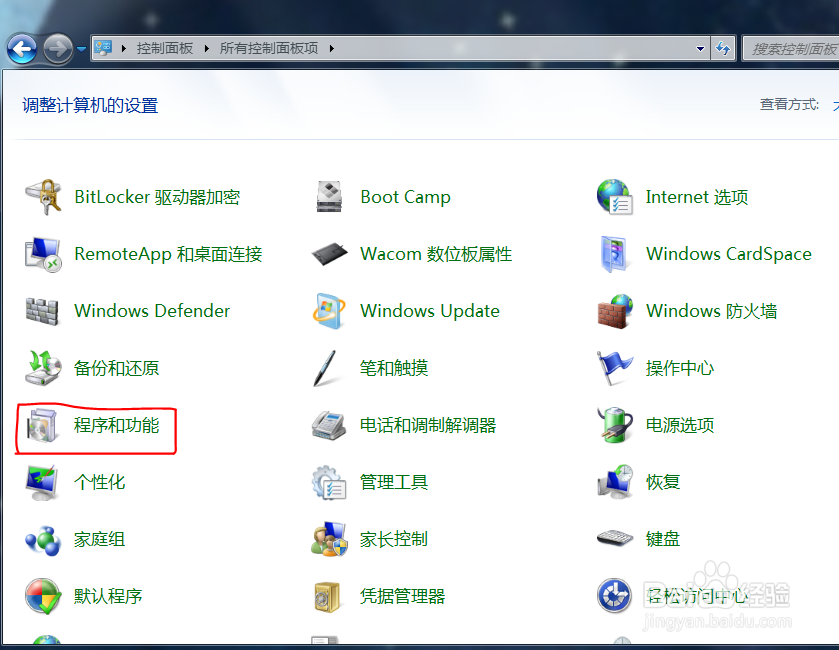
1、打开控制面板,进入程序和功能。
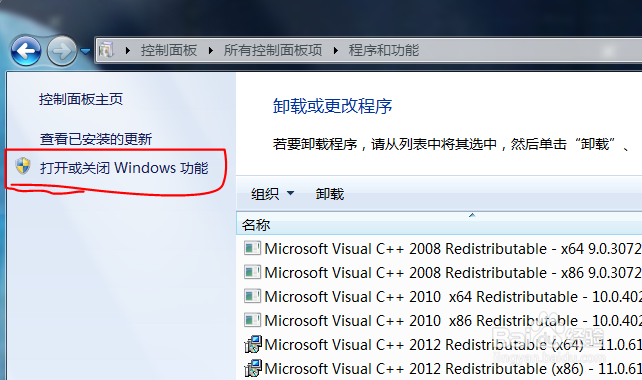
2、点击"打开或关闭 Windows 功能"
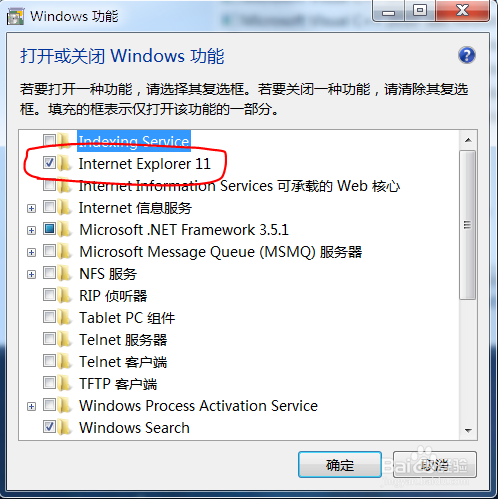
3、在 Windows 功能列表中找到 Internet Explorer 11,去掉其左侧的勾。
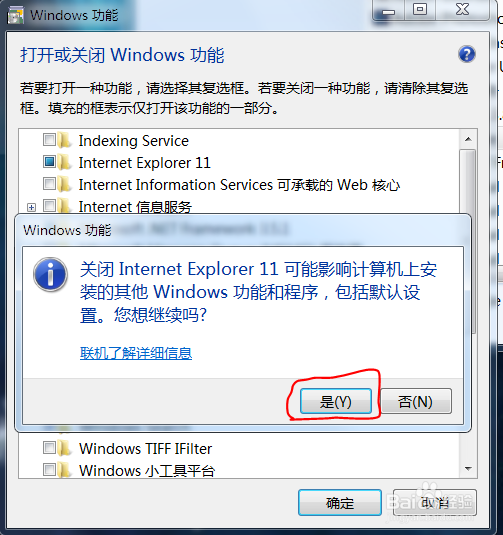
4、Windows 会弹出一个提示框,点击"是"就可以去掉前面的勾了,然后再点确定。
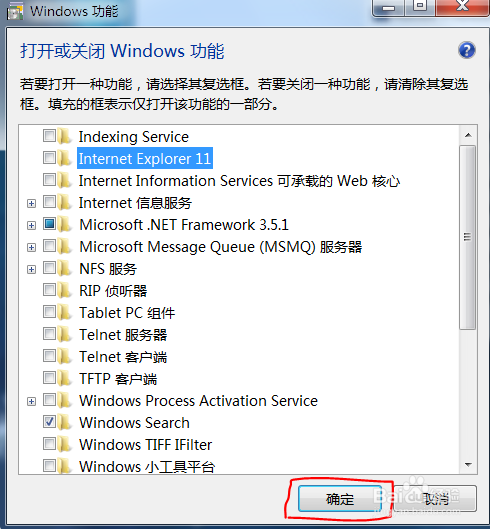
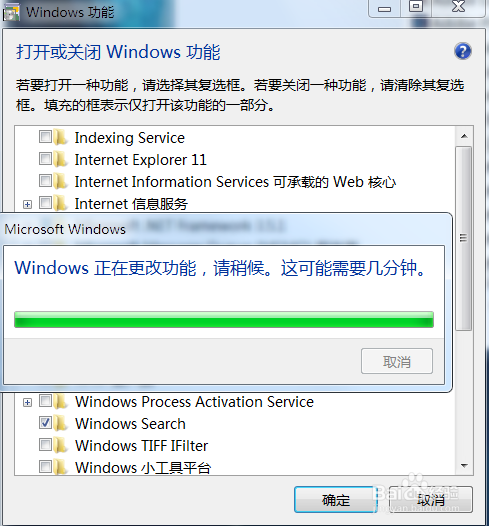
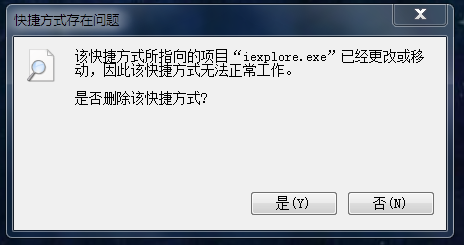
5、等待完成更改, Internet Explorer就被删除了。
1、打开控制面板,进入程序和功能。
2、点击"打开或关闭 Windows 功能"
3、在 Windows 功能列表中找到 Internet Explorer 11,去掉其左侧的勾。
4、Windows 会弹出一个提示框,点击"是"就可以去掉前面的勾了,然后再点确定。
5、等待完成更改, Internet Explorer就被删除了。