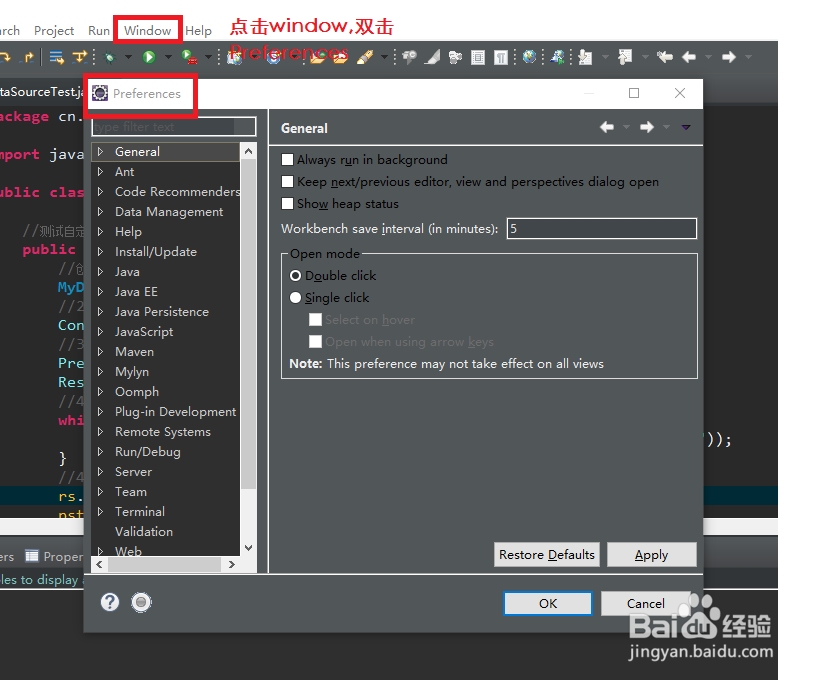
1、选择菜单栏的window-->Preferences-->General-->Startup and Shutdown-->workspaces
2、Recent workspaces下面的列表里就是已经设置过的工作区间。如果要删除已不用的,选中,点remove就好了。
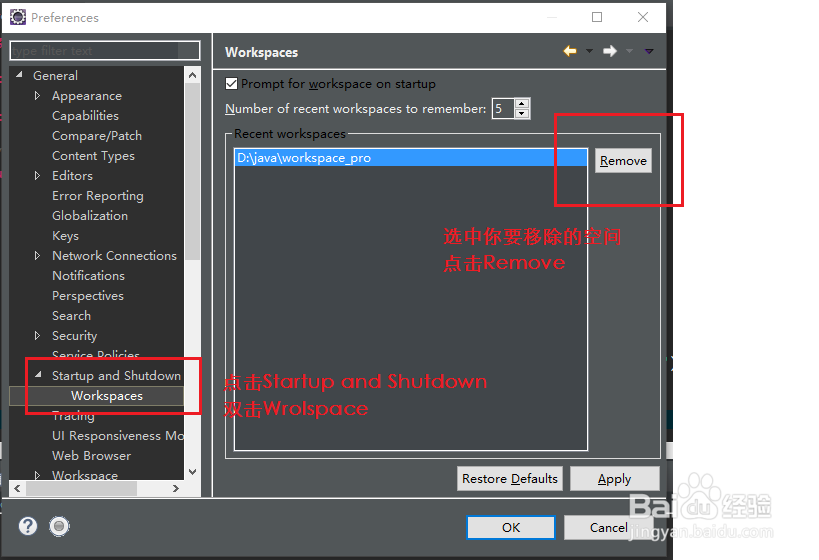
3、如果之前选择不再提示,默认使用本工作区,在启动时想重新选择,
把右面的第一个复选框“Prompt for workspace on startup"选上就可以了。
Number of recent workspaces to remember这个意思是最多记录几个工作区间。